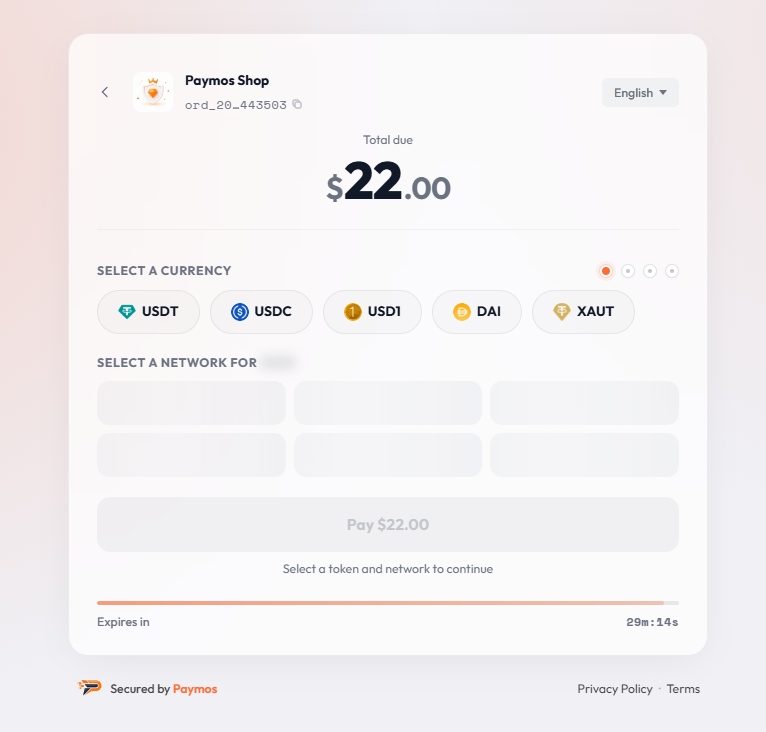
完整付款流程
不用自建付款前端,也有生产级收银台
Paymos 提供网络与资产选择、付款信息、二维码渲染、交易检测、确认状态和最终付款状态。创建账单,把客户重定向到付款链接即可。
付款步骤清晰
所有付款决定都在一个页面上完成
页面在任何设备上都可读,在任何钱包里都能复制,在任何支持的网络上都能结算——客户全程不用离开流程。

客户手中已有的代币
客户直接付钱包里已有的稳定币。没有兑换步骤,不用先绕去买币。

页面上直接扫码
桌面客户用手机钱包扫码即可,不用在设备之间复制粘贴。

付款状态实时更新
网络一看到,转账就带着哈希和区块浏览器链接出现在页面上。倒计时结束时已经被发现的转账照常入账:计时器关掉的是选币这一步,不是路上的付款。
手机端直达钱包
手机上点按钮直接进钱包:Trust Wallet、MetaMask、Tonkeeper、Phantom 打开时,资产、金额和网络已经填好。OKX 是复制地址再打开 App。
任何设备
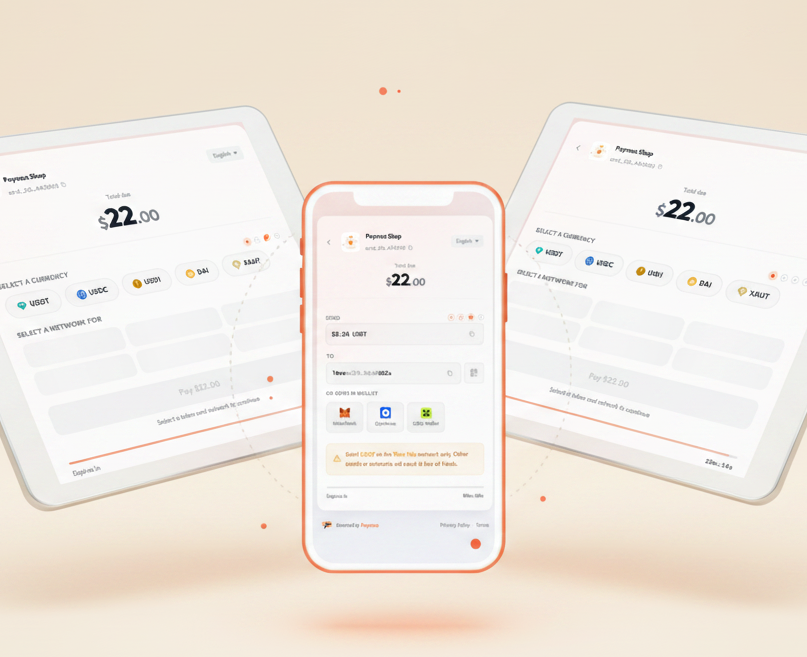
一个付款页,适配所有屏幕
同一张账单,手机上画的是收款地址二维码;桌面上,每个钱包页画的是它自己的付款链接,资产、金额、链都在里面。客户先付一部分,码就按还差的金额重画。
国际化收银台
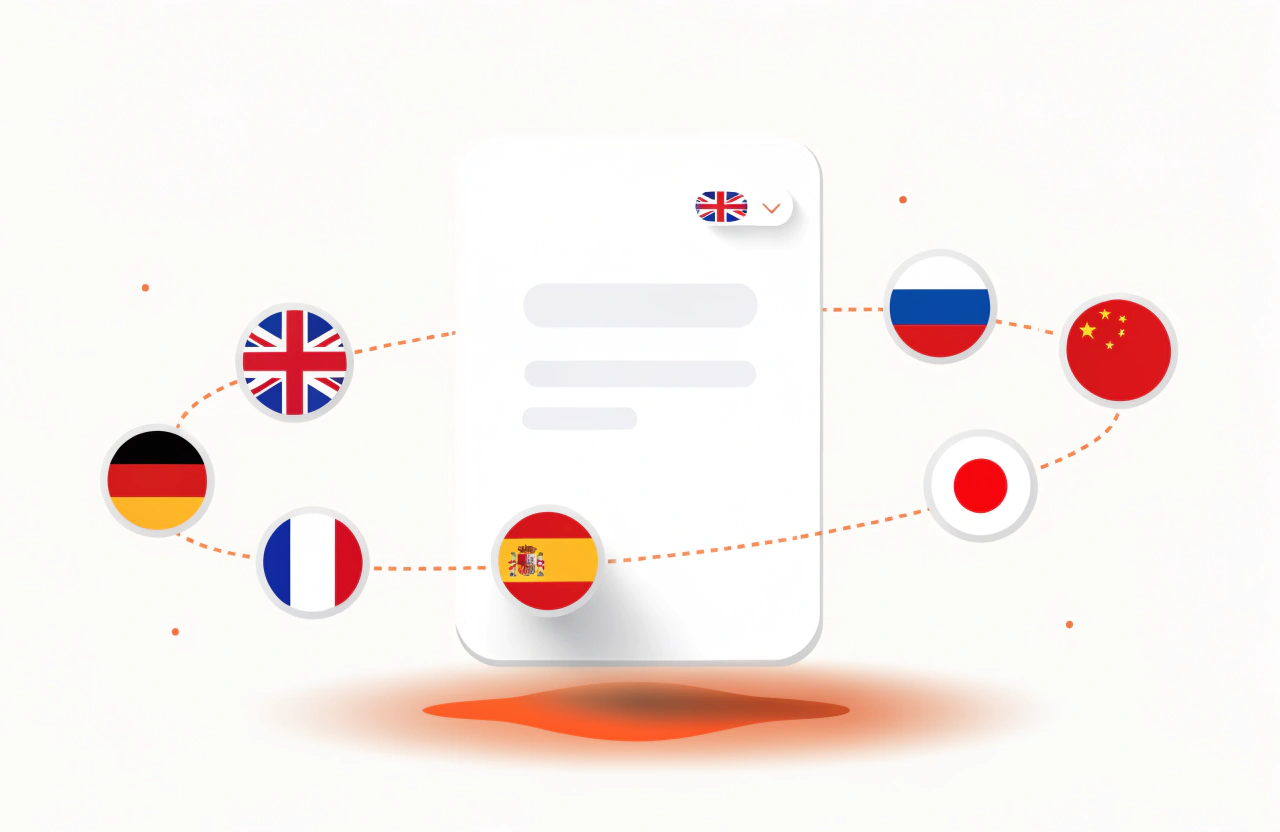
按法币计价,用稳定币结算,按客户语言显示
账单可按 46 种法币计价——USD、EUR、GBP、JPY、AUD、BRL 等。客户看到本地货币金额,以及需要发送的稳定币金额。多语言收银台,覆盖您销售的每个市场。
您的品牌,您的收银台
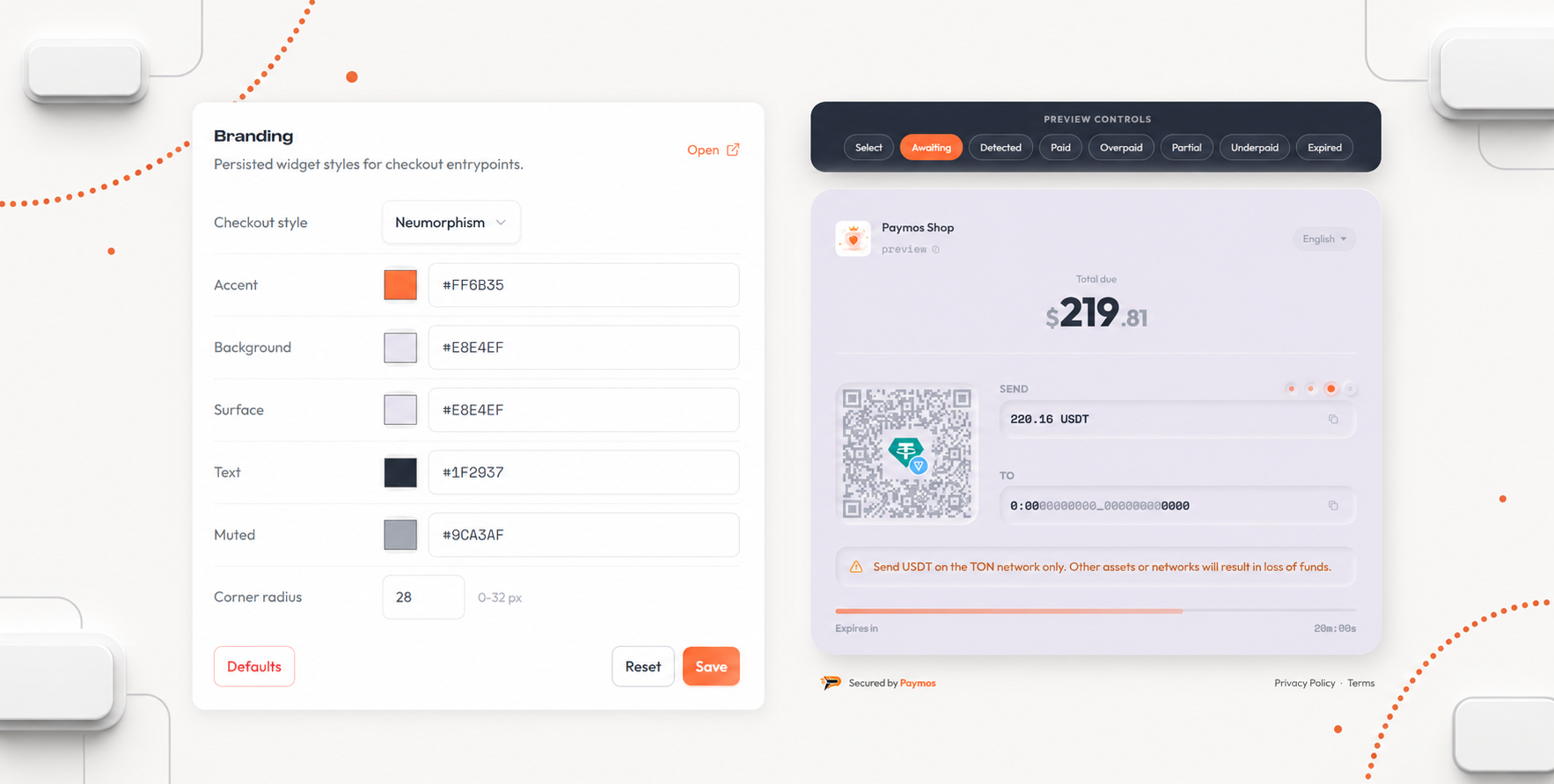
品牌控制,实时预览
在控制台设置 Logo、强调色、文字色和收银台样式。每个项目有独立品牌配置和实时预览。
import { Paymos, externalOrderId } from '@paymos/sdk';

const paymos = new Paymos({
  apiKey: process.env.PAYMOS_API_KEY,
  apiSecret: process.env.PAYMOS_API_SECRET,
});

const invoice = await paymos.invoices.create({
  projectId: 'prj_xxxxxxxxxxxx',
  amount: '100.00',
  currency: 'USD',
  externalOrderId: externalOrderId('order'),
  clientId: 'customer-456',
});

console.log(invoice.invoiceId, invoice.paymentUrl);
import os
from paymos import Paymos
paymos = Paymos(
api_key=os.environ["PAYMOS_API_KEY"],
api_secret=os.environ["PAYMOS_API_SECRET"],
)
invoice = paymos.invoices.create(
project_id="prj_xxxxxxxxxxxx",
amount="100.00",
currency="USD",
external_order_id="order-123",
client_id="customer-456",
)
print(invoice["invoice_id"], invoice["payment_url"])<?php
use Paymos\Client;
use Paymos\ClientConfig;
use Paymos\IdempotencyKey;
$paymos = new Client(new ClientConfig(
getenv('PAYMOS_API_KEY'),
getenv('PAYMOS_API_SECRET')
));
$invoice = $paymos->invoices()->create(array(
'project_id' => 'prj_xxxxxxxxxxxx',
'amount' => '100.00',
'currency' => 'USD',
'external_order_id' => IdempotencyKey::externalOrderId('order'),
'client_id' => 'customer-456',
));
echo $invoice['invoice_id'] . ' ' . $invoice['payment_url'];package main
import (
"context"
"fmt"
"os"
paymos "github.com/Paymos-labs/go-sdk/v2"
)
func main() {
client, err := paymos.NewClient(os.Getenv("PAYMOS_API_KEY"), os.Getenv("PAYMOS_API_SECRET"))
if err != nil {
panic(err)
}
invoice, err := client.Invoices.Create(context.Background(), paymos.CreateInvoiceParams{
ProjectID: "prj_xxxxxxxxxxxx",
Amount: "100.00",
Currency: "USD",
ExternalOrderID: "order-123",
ClientID: stringPointer("customer-456"),
})
if err != nil {
panic(err)
}
fmt.Println(invoice.InvoiceID, invoice.PaymentURL)
}
func stringPointer(value string) *string { return &value }using Paymos;
using var paymos = new PaymosClient(
Environment.GetEnvironmentVariable("PAYMOS_API_KEY")!,
Environment.GetEnvironmentVariable("PAYMOS_API_SECRET")!);
var invoice = await paymos.Invoices.CreateAsync(new CreateInvoiceRequest(
ProjectId: "prj_xxxxxxxxxxxx",
Amount: "100.00",
Currency: "USD",
ExternalOrderId: "order-123",
ClientId: "customer-456"));
Console.WriteLine($"{invoice.InvoiceId} {invoice.PaymentUrl}");import io.paymos.CreateInvoiceRequest;
import io.paymos.Invoice;
import io.paymos.PaymosClient;
PaymosClient paymos = new PaymosClient(
System.getenv("PAYMOS_API_KEY"),
System.getenv("PAYMOS_API_SECRET"));
Invoice invoice = paymos.invoices.create(
CreateInvoiceRequest.builder()
.projectId("prj_xxxxxxxxxxxx")
.amount("100.00")
.currency("USD")
.externalOrderId("order-123")
.clientId("customer-456")
.build());
System.out.println(invoice.invoiceId() + " " + invoice.paymentUrl());require 'paymos'
paymos = Paymos::Client.new(
api_key: ENV.fetch('PAYMOS_API_KEY'),
api_secret: ENV.fetch('PAYMOS_API_SECRET')
)
invoice = paymos.invoices.create(
project_id: 'prj_xxxxxxxxxxxx',
amount: '100.00',
currency: 'USD',
external_order_id: 'order-123',
client_id: 'customer-456'
)
puts "#{invoice.invoice_id} #{invoice.payment_url}"use paymos::{CreateInvoiceRequest, PaymosClient};
let paymos = PaymosClient::new(
std::env::var("PAYMOS_API_KEY")?,
std::env::var("PAYMOS_API_SECRET")?,
)?;
let invoice = paymos
.invoices()
.create(&CreateInvoiceRequest {
project_id: "prj_xxxxxxxxxxxx".to_owned(),
amount: "100.00".to_owned(),
currency: "USD".to_owned(),
external_order_id: "order-123".to_owned(),
network: None,
allow_multiple_payments: None,
customer_fee_percent: None,
client_id: Some("customer-456".to_owned()),
})
.await?;
println!("{} {}", invoice.invoice_id, invoice.payment_url);接入路径直接
创建项目,签发 API 凭据,先在测试环境验证第一笔账单,再开启真实收款。
适配任何后端
创建账单是一次 POST,结果走一次回调。八种语言各有官方服务端 SDK,不用也行,HTTP 就够。
选您的路径
其他收款方式
同一个 Paymos 后端。选最贴合客户购买习惯的界面——也可以几个同时用。
包含什么
托管收银台能力
付款界面
- 手机上不用放大就能看
- 二维码 + 点按复制地址
- 按项目配置 Logo 与强调色
- 多语言收银台
计价模式
- 法币计价(46 种货币)
- 加密货币计价(单一代币)
- 可锁定网络选择
- 选定代币时锁定汇率
支持的资产
- USDT、USDC、USD1、DAI、XAUT
- Tron、Ethereum、BSC、Polygon、Arbitrum、Optimism
- Base、TON、Avalanche、Solana、NEAR、Plasma、Sui
- 结算进 Paymos 余额,随时转出
开发者体验
- 一个 REST 接口即可创建
- 通过 external_order_id 幂等
- 签名 webhook 投递,带重试
- 测试模式 + 沙盒环境