Hosted Checkout
A hosted stablecoin checkout under your brand
Offer a branded payment page with network and asset selection, QR payment details, live status, and a verified completion state.
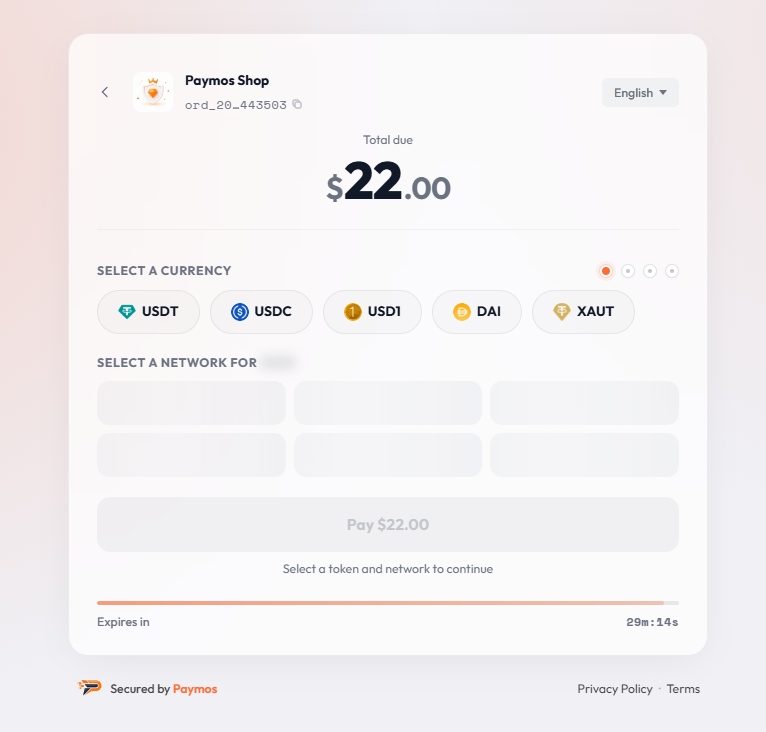
Complete payment flow
A production checkout without a payment frontend build
Paymos provides network and asset selection, payment details, QR rendering, transaction detection, confirmation status, and the final payment state. Create an invoice and redirect the customer to its payment URL.
Clear payment steps
Keep every payment decision on one page
The page reads on every device, copies on every wallet, settles on every supported network — without your customer leaving the flow once.

The tokens customers already hold
Customer pays in the stablecoin already in their wallet. No conversion step, no detour to buy crypto first.

QR code on the page
Customers on desktop scan the QR with their phone wallet. No copy-paste between devices.

Live payment status
Each transfer appears with its hash and an explorer link the moment the network shows it. One already detected when the countdown ends still settles — the clock closes the choice of asset, not a payment in flight.
Direct wallet launch on mobile
On a phone the page button opens Trust Wallet, MetaMask, Tonkeeper or Phantom with the payment already filled in. The OKX button copies the address and opens the app after it.
Every device
One payment page across screen sizes
Desktop customers scan a QR code; mobile customers open a compatible wallet from the page. The layout adapts to phones, tablets, and desktop screens.
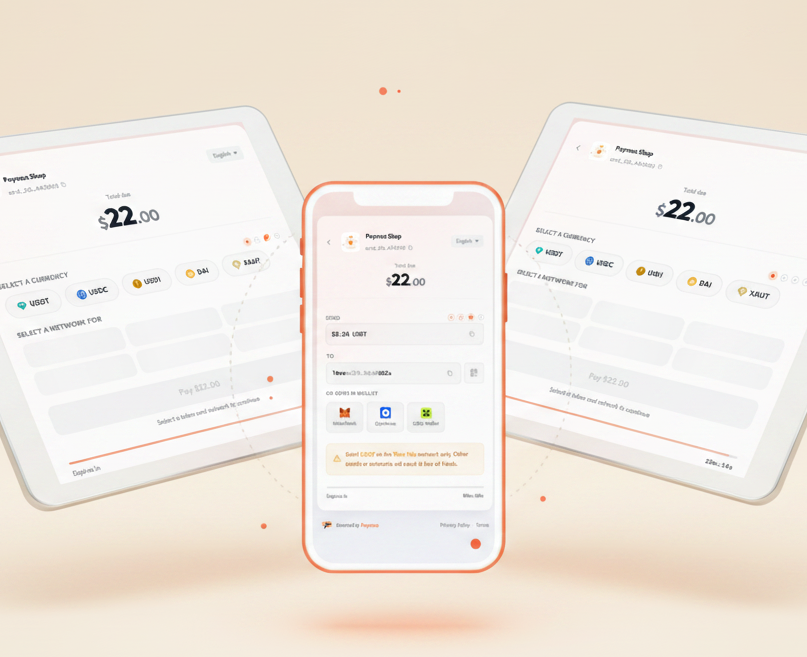

International checkout
Charge in fiat. Settle in stablecoin. Render in the customer's language
Price invoices in 46 fiat currencies — USD, EUR, GBP, JPY, AUD, BRL and more. The customer sees the amount in their local currency alongside the exact stablecoin amount they send. Multilingual checkout for every market you sell into.
Your brand, your checkout
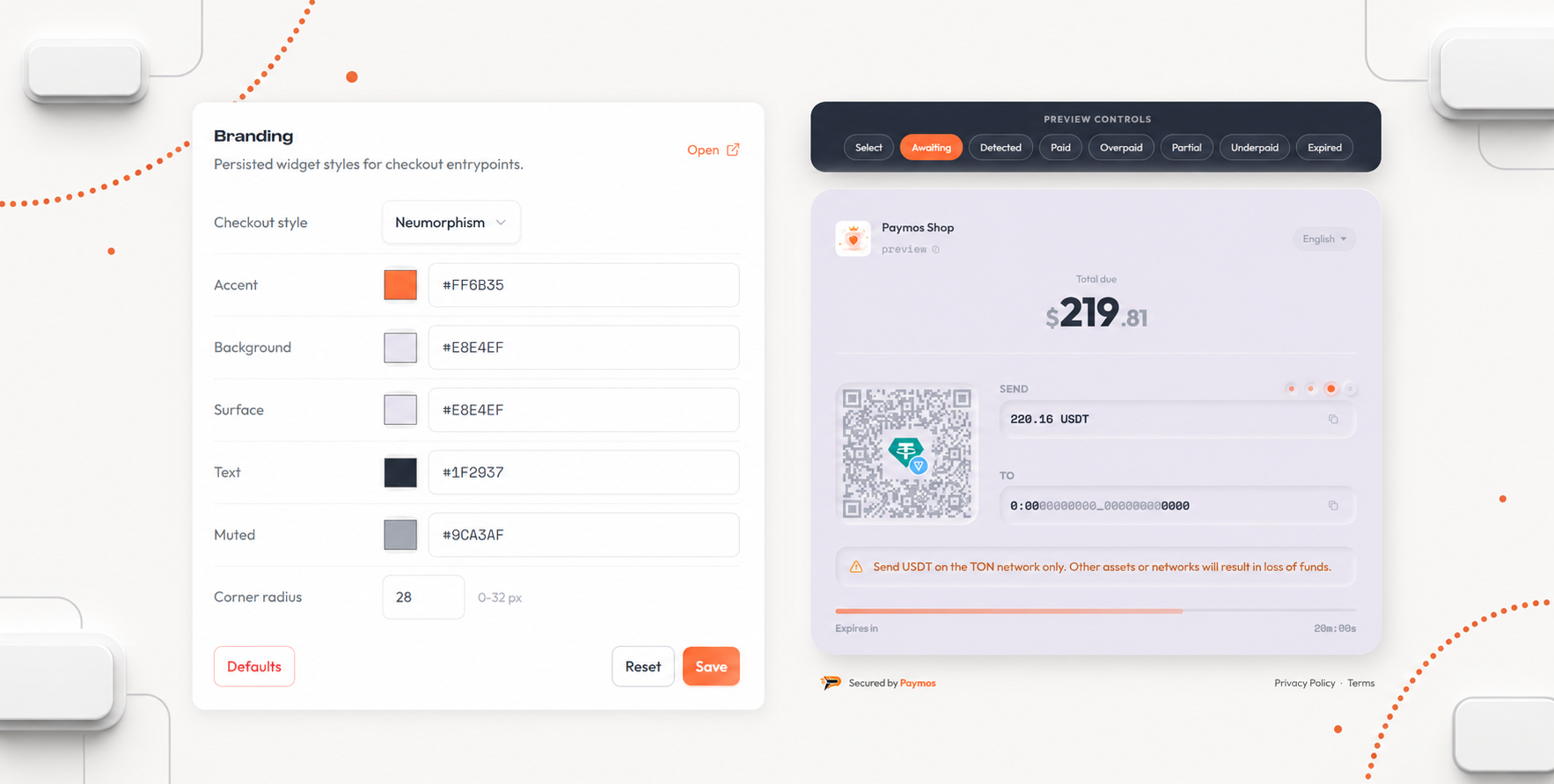
Brand controls. Live preview
Set the logo, accent, text colours, and checkout style in the dashboard. Every project has an independent brand profile and a live preview.
Get started
Integrate with one invoice flow
Create an invoice, redirect to its payment URL, and fulfil the order after the signed webhook. The same REST flow works with any backend.
Read docsimport { Paymos, externalOrderId } from '@paymos/sdk';
const paymos = new Paymos({
apiKey: process.env.PAYMOS_API_KEY,
apiSecret: process.env.PAYMOS_API_SECRET,
});
const invoice = await paymos.invoices.create({
projectId: 'prj_xxxxxxxxxxxx',
amount: '100.00',
currency: 'USD',
externalOrderId: externalOrderId('order'),
clientId: 'customer-456',
});
console.log(invoice.invoiceId, invoice.paymentUrl);import os
from paymos import Paymos
paymos = Paymos(
api_key=os.environ["PAYMOS_API_KEY"],
api_secret=os.environ["PAYMOS_API_SECRET"],
)
invoice = paymos.invoices.create(
project_id="prj_xxxxxxxxxxxx",
amount="100.00",
currency="USD",
external_order_id="order-123",
client_id="customer-456",
)
print(invoice["invoice_id"], invoice["payment_url"])<?php
use Paymos\Client;
use Paymos\ClientConfig;
use Paymos\IdempotencyKey;
$paymos = new Client(new ClientConfig(
getenv('PAYMOS_API_KEY'),
getenv('PAYMOS_API_SECRET')
));
$invoice = $paymos->invoices()->create(array(
'project_id' => 'prj_xxxxxxxxxxxx',
'amount' => '100.00',
'currency' => 'USD',
'external_order_id' => IdempotencyKey::externalOrderId('order'),
'client_id' => 'customer-456',
));
echo $invoice['invoice_id'] . ' ' . $invoice['payment_url'];package main
import (
"context"
"fmt"
"os"
paymos "github.com/Paymos-labs/go-sdk/v2"
)
func main() {
client, err := paymos.NewClient(os.Getenv("PAYMOS_API_KEY"), os.Getenv("PAYMOS_API_SECRET"))
if err != nil {
panic(err)
}
invoice, err := client.Invoices.Create(context.Background(), paymos.CreateInvoiceParams{
ProjectID: "prj_xxxxxxxxxxxx",
Amount: "100.00",
Currency: "USD",
ExternalOrderID: "order-123",
ClientID: stringPointer("customer-456"),
})
if err != nil {
panic(err)
}
fmt.Println(invoice.InvoiceID, invoice.PaymentURL)
}
func stringPointer(value string) *string { return &value }using Paymos;
using var paymos = new PaymosClient(
Environment.GetEnvironmentVariable("PAYMOS_API_KEY")!,
Environment.GetEnvironmentVariable("PAYMOS_API_SECRET")!);
var invoice = await paymos.Invoices.CreateAsync(new CreateInvoiceRequest(
ProjectId: "prj_xxxxxxxxxxxx",
Amount: "100.00",
Currency: "USD",
ExternalOrderId: "order-123",
ClientId: "customer-456"));
Console.WriteLine($"{invoice.InvoiceId} {invoice.PaymentUrl}");import io.paymos.CreateInvoiceRequest;
import io.paymos.Invoice;
import io.paymos.PaymosClient;
PaymosClient paymos = new PaymosClient(
System.getenv("PAYMOS_API_KEY"),
System.getenv("PAYMOS_API_SECRET"));
Invoice invoice = paymos.invoices.create(
CreateInvoiceRequest.builder()
.projectId("prj_xxxxxxxxxxxx")
.amount("100.00")
.currency("USD")
.externalOrderId("order-123")
.clientId("customer-456")
.build());
System.out.println(invoice.invoiceId() + " " + invoice.paymentUrl());require 'paymos'
paymos = Paymos::Client.new(
api_key: ENV.fetch('PAYMOS_API_KEY'),
api_secret: ENV.fetch('PAYMOS_API_SECRET')
)
invoice = paymos.invoices.create(
project_id: 'prj_xxxxxxxxxxxx',
amount: '100.00',
currency: 'USD',
external_order_id: 'order-123',
client_id: 'customer-456'
)
puts "#{invoice.invoice_id} #{invoice.payment_url}"use paymos::{CreateInvoiceRequest, PaymosClient};
let paymos = PaymosClient::new(
std::env::var("PAYMOS_API_KEY")?,
std::env::var("PAYMOS_API_SECRET")?,
)?;
let invoice = paymos
.invoices()
.create(&CreateInvoiceRequest {
project_id: "prj_xxxxxxxxxxxx".to_owned(),
amount: "100.00".to_owned(),
currency: "USD".to_owned(),
external_order_id: "order-123".to_owned(),
network: None,
allow_multiple_payments: None,
customer_fee_percent: None,
client_id: Some("customer-456".to_owned()),
})
.await?;
println!("{} {}", invoice.invoice_id, invoice.payment_url);Direct onboarding path
Create a project, issue its API credentials, and validate the first invoice in the test environment before enabling real payments.
Works with any backend
REST + webhooks — fits any stack. Node, Python, PHP, Go, Ruby, Java, .NET, anything that speaks HTTP.
Pick your path
Other ways to take a payment
Same Paymos backend. Pick the surface that fits how your customers already buy — or run several at once.
Embed on your site
The same checkout opens inside your domain — no new tab, no new URL. Stays on your brand from cart to confirmation.
Open Embedded CheckoutSend a payment link
No-code share URL from the dashboard. Paste anywhere — email, SMS, Telegram, support chat, invoice PDF.
Open Payment LinksPay button widget
Add a Pay button to any page for donations, tips, and pay-what-you-want pricing. Customer picks the amount.
Open Pay Button WidgetPhone-as-terminal POS
Any phone or tablet becomes a crypto terminal. Enter the amount, show the QR, customer scans and pays.
Open Terminal POSTelegram checkout
A Telegram-bot project's payment link opens a chat, not a page. Customer picks asset and network there — no Paymos account needed.
Open Telegram CheckoutPermanent deposit address
An address on every supported network, under your own customer id. No amount, no expiry — whatever they send lands on your balance.
Open Payment ChannelsWhat's included
Hosted Checkout capabilities
Payment surface
- Mobile-first responsive page
- QR code + tap to copy address
- Logo + accent colour per project
- Multilingual checkout
Pricing modes
- Fiat-priced (46 currencies)
- Crypto-priced (single token)
- Network-locked picker
- Exchange rate locks at token pick
Supported assets
- USDT, USDC, USD1, DAI, XAUT
- Tron, Ethereum, BSC, Polygon, Arbitrum, Optimism
- Base, TON, Avalanche, Solana, NEAR, Plasma, Sui
- Settles to your Paymos balance, withdraw on demand
Developer experience
- One REST endpoint to create
- Idempotent via external_order_id
- Signed webhook delivery with retries
- Test mode + sandbox environment
Pricing
Every account opens at 1.0% per paid invoice
Enterprise is 0.3%, on request. Paymos takes no commission on a withdrawal — what a payout costs is the network fee for the route, quoted before you approve it and smaller than the transfer itself costs.
See pricing