Embedded Checkout
Crypto checkout that doesn't leave your site
Customers pay inside your own page — no new tab, no new domain, no switch.
Why embed
Checkout that fits inside your funnel
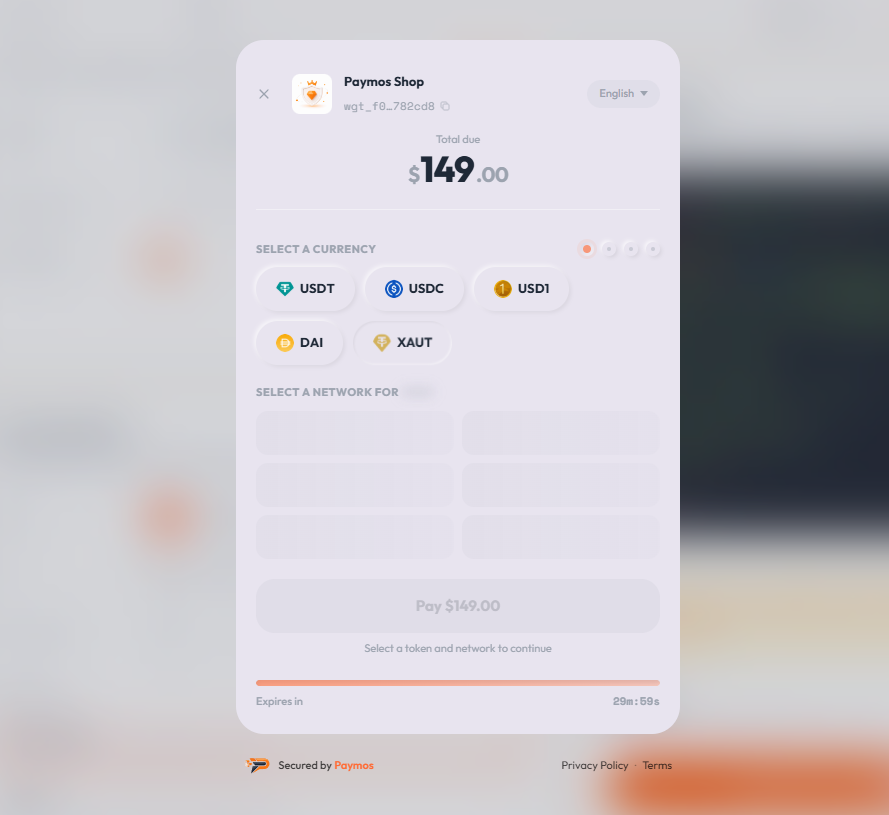
Embedded Checkout keeps the payment step on the merchant domain, inside the page the customer already uses.
Same URL, same brand
The payment form remains inside the merchant page and inherits the project brand profile.
A contained integration
Render the invoice payment URL in a restricted iframe. No separate payment-form implementation is required.
Looks like your site
Logo, colours, corner radius come from the project's brand profile. Embedded checkout always matches the page around it.
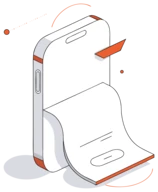
Responsive by default
Slide-up sheet on phones, full-width inline on desktop. The customer's screen decides — not your CSS.
How it works
Three steps. One iframe
Create the invoice on your backend, render the iframe on your page, listen for the webhook. Same flow you'd build for any payment gateway — without building the payment form.
Create the invoice
One POST to /v1/invoices with an amount and currency. Paymos returns an invoice id and a payment URL.
Render the iframe
Drop the payment URL into one iframe tag with ?embed=true. The Paymos checkout renders inline next to your own page content.
Listen for the webhook
Your backend gets the HMAC-signed webhook to fulfil the order. Your frontend gets the paymos:succeeded event from the iframe to update the UI, redirect, or show a success screen — no polling on either side.
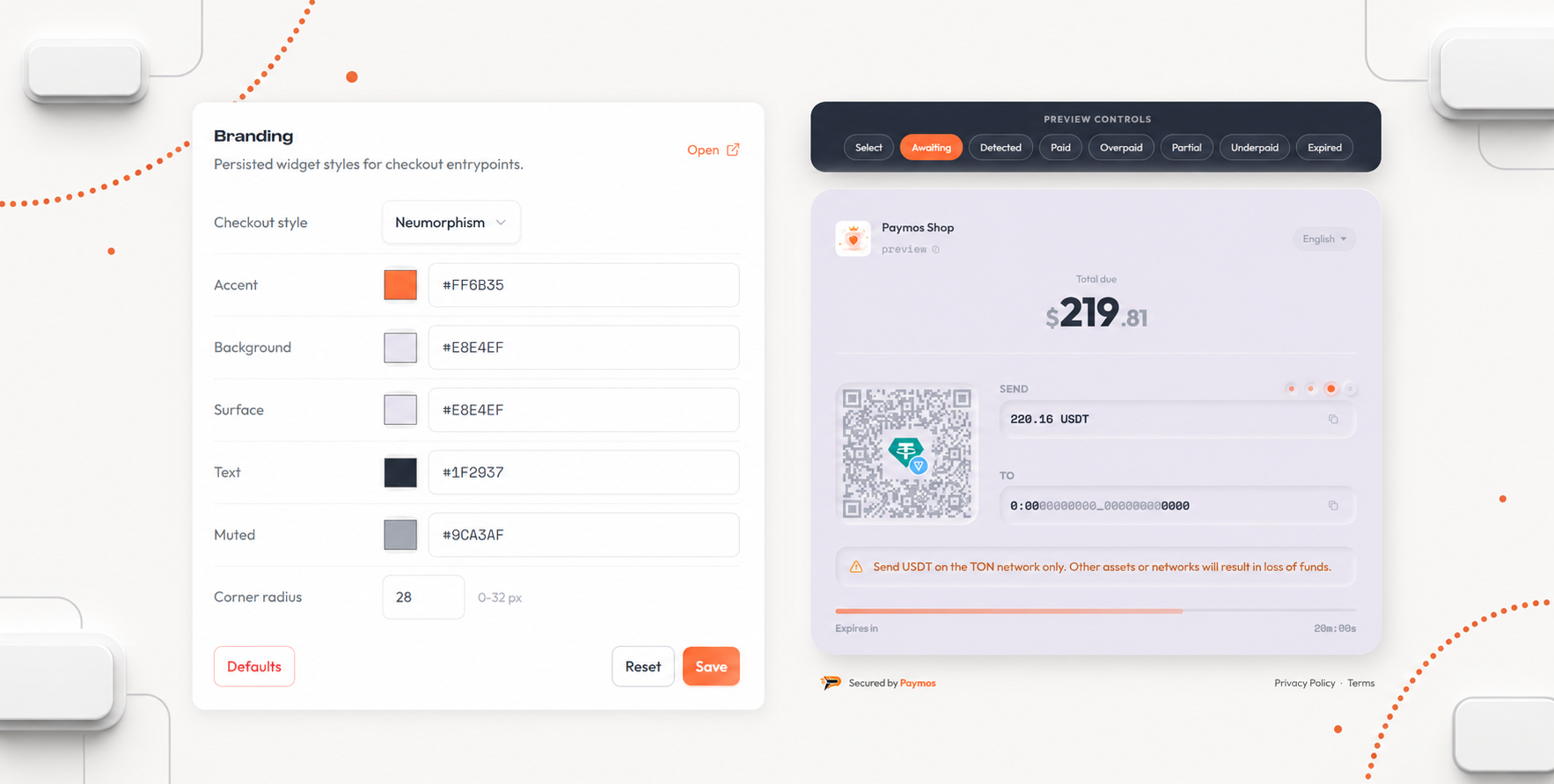
Theme from the dashboard
Restyle the checkout without touching code
Logo, accent, surface, text, muted colour, and corner radius are managed in the project brand settings. New checkouts read the current profile at load time.
Get started
One iframe tag. That's the integration
The payment URL takes ?embed=true. Drop it inside an iframe tag with the right sandbox attributes and you have a working checkout on your page.
Read docs<!-- 1. Create the invoice on your backend (POST /v1/invoices)
2. Take the returned `payment_url` (looks like
https://checkout.paymos.io/invoice/inv_xxx)
3. Append `?embed=true` and drop it into a sandboxed iframe -->
<iframe
src="https://checkout.paymos.io/invoice/inv_xxx?embed=true"
title="Paymos checkout"
allow="clipboard-write"
sandbox="allow-scripts allow-same-origin allow-forms"
style="display:block;width:100%;max-width:460px;height:min(90vh,900px);border:0;"
></iframe>Sandboxed iframe
The checkout runs in a sandboxed iframe. Wallet interaction, address allocation, and confirmation checks stay inside Paymos.
Any stack
If your stack can render an iframe, embedded checkout works. Server-side templates, JavaScript apps, static sites — same one-line integration.
Where to use it
Anywhere you don't want a redirect
Embedded checkout slots into any page that already has a customer's attention. No new domain, no popup, no broken context.
Checkout step in your funnel
Replace the card form on your existing checkout. The iframe sits exactly where the old payment step used to live.
Pricing page upgrade
Customer picks a tier on your pricing page — the iframe expands inline. No new page, no second decision.
Dashboard top-up
Logged-in customers add balance, pay an invoice, or extend their plan without ever leaving your app.
Member area renewal
Subscription renewal lives inside your member area. The customer stays on the URL they trust through the entire flow.
Pick your path
Other ways to take a payment
Same Paymos backend. Pick the surface that fits how your customers already buy — or run several at once.
Hosted checkout
A Paymos-hosted payment page. Share the URL or redirect from your cart — customer pays on our domain, you take the webhook.
Open Hosted CheckoutSend a payment link
No-code share URL from the dashboard. Paste anywhere — email, SMS, Telegram, support chat, invoice PDF.
Open Payment LinksPay button widget
Add a Pay button to any page for donations, tips, and pay-what-you-want pricing. Customer picks the amount.
Open Pay Button WidgetPhone-as-terminal POS
Any phone or tablet becomes a crypto terminal. Enter the amount, show the QR, customer scans and pays.
Open Terminal POSTelegram checkout
A Telegram-bot project's payment link opens a chat, not a page. Customer picks asset and network there — no Paymos account needed.
Open Telegram CheckoutPermanent deposit address
An address on every supported network, under your own customer id. No amount, no expiry — whatever they send lands on your balance.
Open Payment ChannelsPricing
1.0% per paid invoice, nothing extra for the iframe
The Enterprise rate of 0.3% is granted on request. No Paymos commission is taken from a payout either — the network fee on it is subsidised, so you pay less than moving the funds costs, and you see the figure before you confirm.
See pricing