Telegram checkout
Get paid where the conversation already is
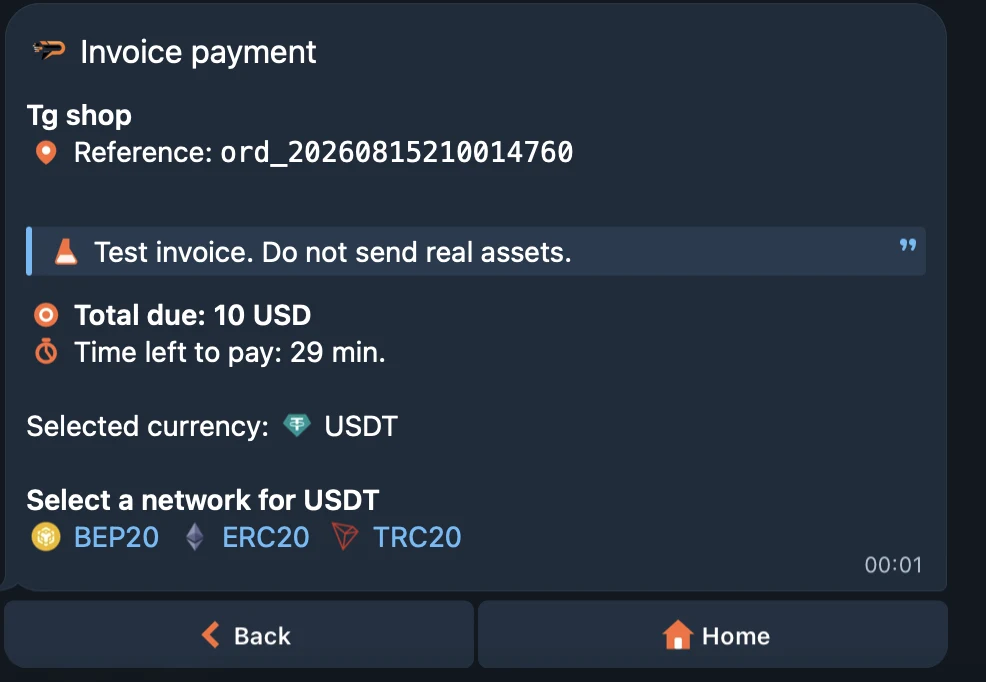
The channel is a project setting, chosen once. Set it to the Telegram bot and the payment link stops being a page — it opens a chat where the payer picks what to send, on which network, and follows the invoice from there.
Chat-native acceptance
No page to keep open, no account to create
The channel belongs to the project, so it is decided once and every invoice that project issues follows it. Nothing along the way asks the payer for a browser tab or a login.
The link opens a chat
On a Telegram-bot project the invoice comes back with a deep link into the Paymos bot rather than an address on our domain. You send it the way you send any link.
Nothing for the payer to join
No Paymos account and no signup. Whoever taps the link is already signed in to the app that opens.
Asset and network chosen in place
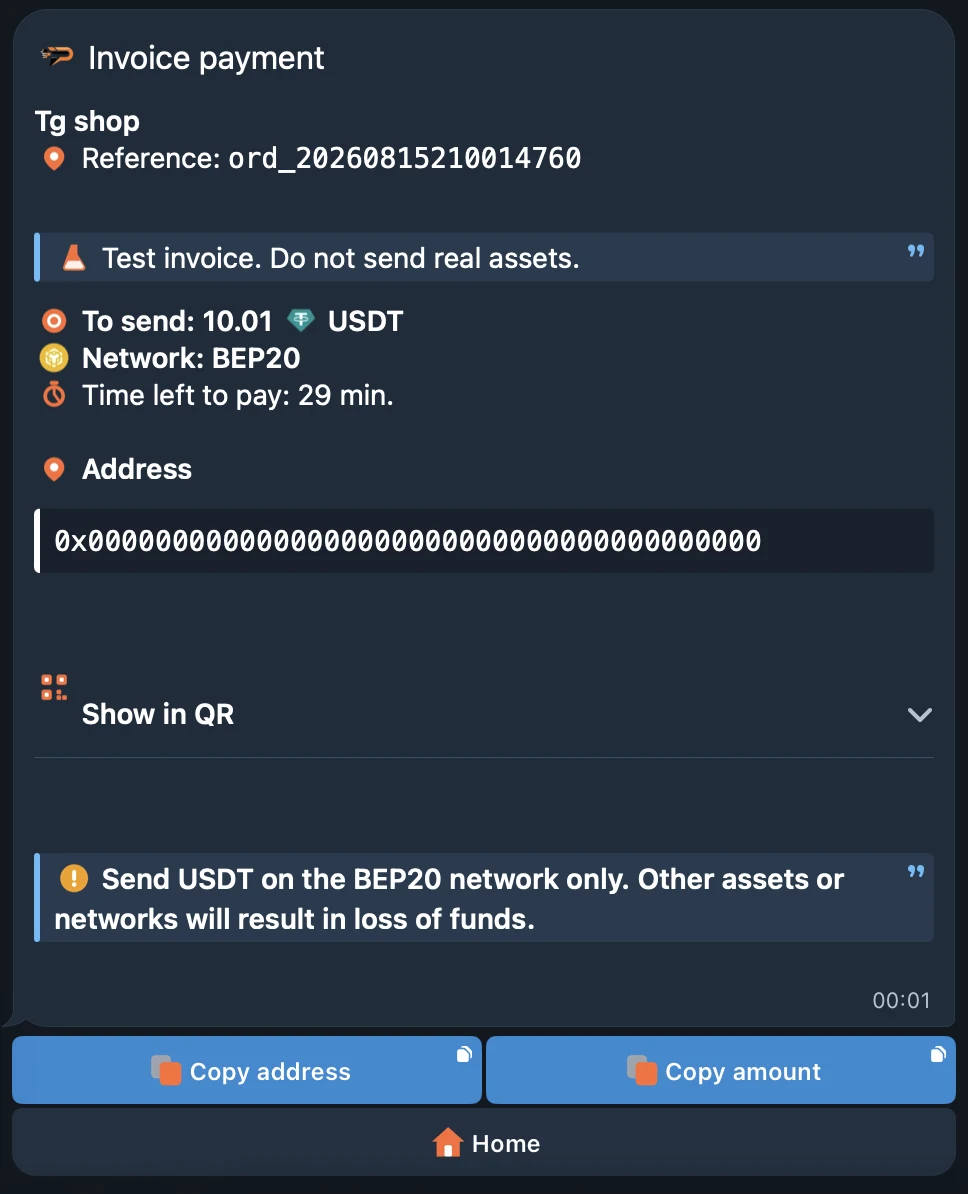
The payer picks what to pay with and which network carries it, then receives the deposit address and a QR code for exactly that pair.
The status comes to them
A tab has to stay open to be watched. A thread does not: it sits in the chat list, and the state it moved to is there when the payer looks again.
How it works
From your message to a confirmed transfer
Three moves: one you make once in the project, two inside a window the payer already had open.
- 1
Set the project channel
Open the project and pick Telegram bot. The choice sits on the project rather than on one invoice, and after it the project has no hosted payment page at all.
- 2
Send the payment link
The invoice answers with a deep link into the Paymos bot. Post it in the dialogue, the channel, or the reply you were already writing.
- 3
The payer pays in the thread
They choose asset and network, send to the address shown or scan its QR, and watch the invoice change state without opening anything else.
Where it fits
When the order already arrived as a message
If the deal is being agreed in a chat, the money does not have to move somewhere else to be taken.
Bot storefronts
Catalogue, cart and support already live in the bot. Payment stops being the one step that pushes the buyer back out of it.
Channels and paid groups
Access, renewals and one-off drops sold to subscribers — the invoice lands in the same feed as the post that sold them.
Managers and support
Whoever is holding the conversation sends the invoice inside it, instead of asking the client to open something and find the amount.
Buyers on a phone
No desktop, a browser already full of tabs, and a closed one is hard to find again. The messenger is installed, open, and keeps the thread.
Pick your path
Other ways to take a payment
Same Paymos backend. Pick the surface that fits how your customers already buy — or run several at once.
Hosted checkout
A Paymos-hosted payment page. Share the URL or redirect from your cart — customer pays on our domain, you take the webhook.
Open Hosted CheckoutEmbed on your site
The same checkout opens inside your domain — no new tab, no new URL. Stays on your brand from cart to confirmation.
Open Embedded CheckoutSend a payment link
No-code share URL from the dashboard. Paste anywhere — email, SMS, Telegram, support chat, invoice PDF.
Open Payment LinksPay button widget
Add a Pay button to any page for donations, tips, and pay-what-you-want pricing. Customer picks the amount.
Open Pay Button WidgetPhone-as-terminal POS
Any phone or tablet becomes a crypto terminal. Enter the amount, show the QR, customer scans and pays.
Open Terminal POSPermanent deposit address
An address on every supported network, under your own customer id. No amount, no expiry — whatever they send lands on your balance.
Open Payment ChannelsPricing
1.0% per paid invoice, in the chat or on the web
The bot is not a separate product and costs no extra. Enterprise is 0.3% on request here as anywhere, and a withdrawal carries no Paymos commission, only a subsidised network fee for the payout route, shown before you approve it.
See pricing