Payment Links
Create a stablecoin invoice and share its link
Create an invoice in the Paymos dashboard and send its payment URL by email, SMS, Telegram, support chat, or PDF.
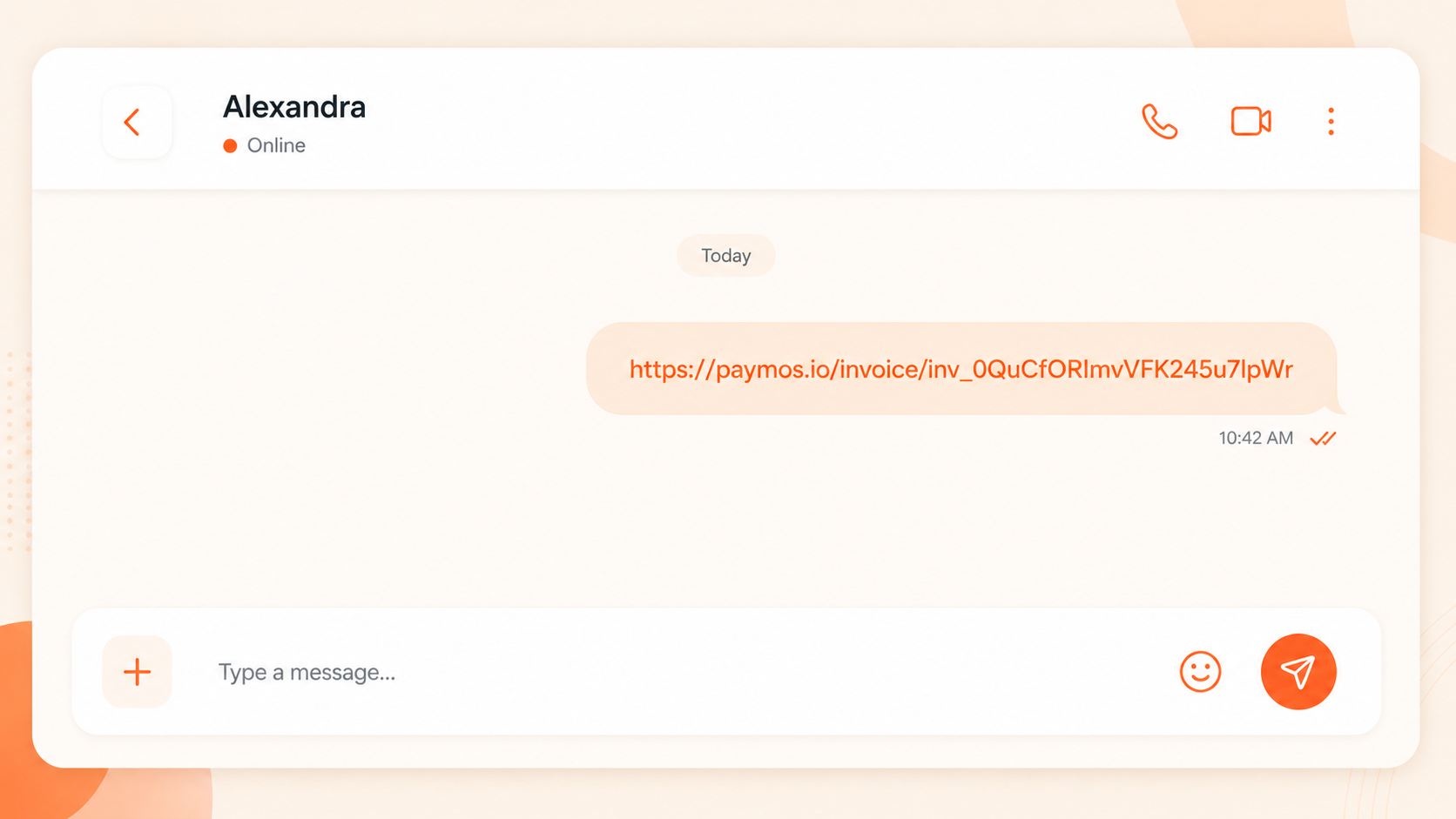
Dashboard workflow
Issue an invoice without a website integration
Set the amount and currency in the dashboard, create the invoice, and share its payment URL. The customer opens the standard Paymos checkout and pays from a compatible wallet.

No website needed
Run a side business from your phone, take payments from a Telegram channel, invoice a freelance client — no checkout page to build.

Share anywhere
Email, SMS, Telegram, WhatsApp, support chat, invoice PDF. The link opens cleanly in any browser, on any device.

One link per sale
Every link is its own invoice — one amount, one order id, one expiry. A returning customer gets a new one in seconds, and each payment reconciles against a single order.
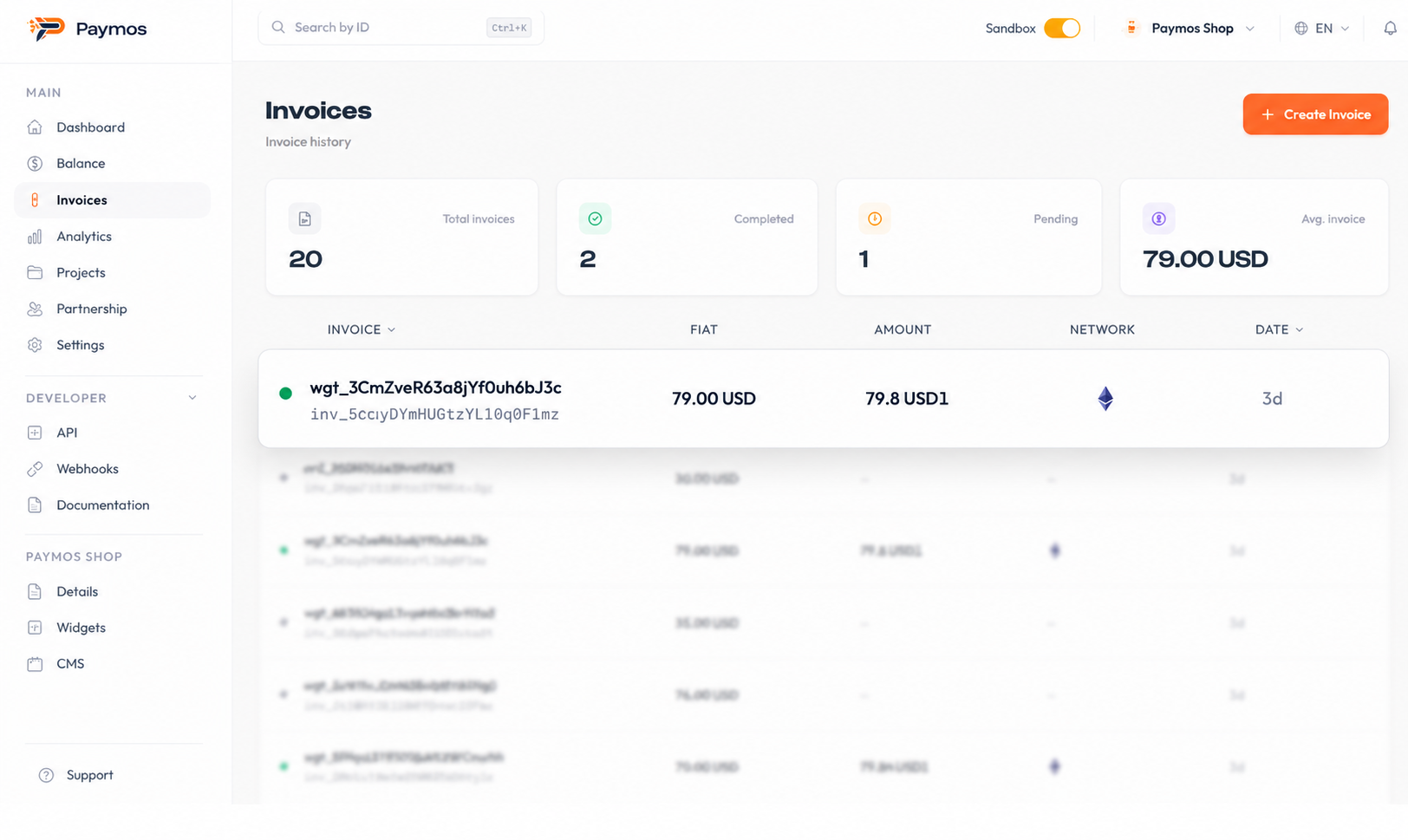
Live status without refresh
The dashboard updates the moment the network confirms the payment. No polling, no spreadsheet.
How it works
Create, share, confirm
The invoice and its status remain in the dashboard; the customer receives only the payment URL you share.
- 1
Create the link
Create an invoice in the dashboard with the required amount and currency. Paymos returns a shareable payment URL.
- 2
Share it
Copy the URL, paste it where your customer is — email, Telegram, support chat, an invoice PDF.
- 3
Get paid
The network confirms, the invoice closes as paid, and the amount lands on your Paymos balance, ready to withdraw.
Where to use
Use the channels your business already operates
Payment Links fit any channel your customer reaches you on. No new tool to install on their side.
Email and SMS
Send an invoice with the payment link in the body. Customer taps, pays, the invoice closes in your dashboard.
Telegram and chat
Run a paid Telegram channel, sell digital goods through DMs, collect support fees — all by pasting a link.
Invoice PDFs
Drop the link into a Pay Now button on your invoice template. No more wire instructions.
Bio links and landings
One link in your bio link tree, or a Pay button on a Notion page. Customers can pay without a real site.
Pick your path
Other ways to take a payment
Same Paymos backend. Pick the surface that fits how your customers already buy — or run several at once.
Hosted checkout
A Paymos-hosted payment page. Share the URL or redirect from your cart — customer pays on our domain, you take the webhook.
Open Hosted CheckoutEmbed on your site
The same checkout opens inside your domain — no new tab, no new URL. Stays on your brand from cart to confirmation.
Open Embedded CheckoutPay button widget
Add a Pay button to any page for donations, tips, and pay-what-you-want pricing. Customer picks the amount.
Open Pay Button WidgetPhone-as-terminal POS
Any phone or tablet becomes a crypto terminal. Enter the amount, show the QR, customer scans and pays.
Open Terminal POSTelegram checkout
A Telegram-bot project's payment link opens a chat, not a page. Customer picks asset and network there — no Paymos account needed.
Open Telegram CheckoutPermanent deposit address
An address on every supported network, under your own customer id. No amount, no expiry — whatever they send lands on your balance.
Open Payment ChannelsPricing
1.0% when the link gets paid
The Enterprise rate is 0.3%, on request. A link costs nothing to create or share — the rate applies only when the invoice settles.
See pricing